Handling CUI in the cloud, without breaking your contract
A defensible architecture for Controlled Unclassified Information starts with two questions: where does CUI flow today, and where can it flow safely tomorrow. This page gives you the tools to answer both — and the playbooks to migrate without a 30% productivity hit.
TL;DR — what to do, what to avoid, what to fix first
- Map first, migrate second. Most stacks move CUI through places nobody has written down. Run our CUI Flow Mapper before you spend a dollar on tools.
- Default-allowed list: Microsoft 365 GCC High, Azure Government (IL4/IL5), AWS GovCloud, Mattermost for Government, Slack GovSlack (civilian CUI only).
- Default-denied list: commercial Microsoft 365, commercial Slack, commercial Zoom, all Dropbox variants, commercial Google Workspace, commercial Box.
- Highest-risk leak point: email. The DFARS 7012 sleep-test is "what happens if a CUI-bearing email goes to commercial Gmail/Outlook.com via auto-forward?" Most contractors fail this.
Free tools — start here
CUI Compliance Auditor
Free · No signup
Audit your tech stack against NIST 800-171. Identify CUI risks, control gaps, and FedRAMP-authorized alternatives — instant analysis.
CUI Data Flow Mapper
Free · No signup
Map data flows between systems. Identify where CUI crosses non-compliant boundaries with NIST 800-171 violation analysis.
What CUI evidence looks like at audit time
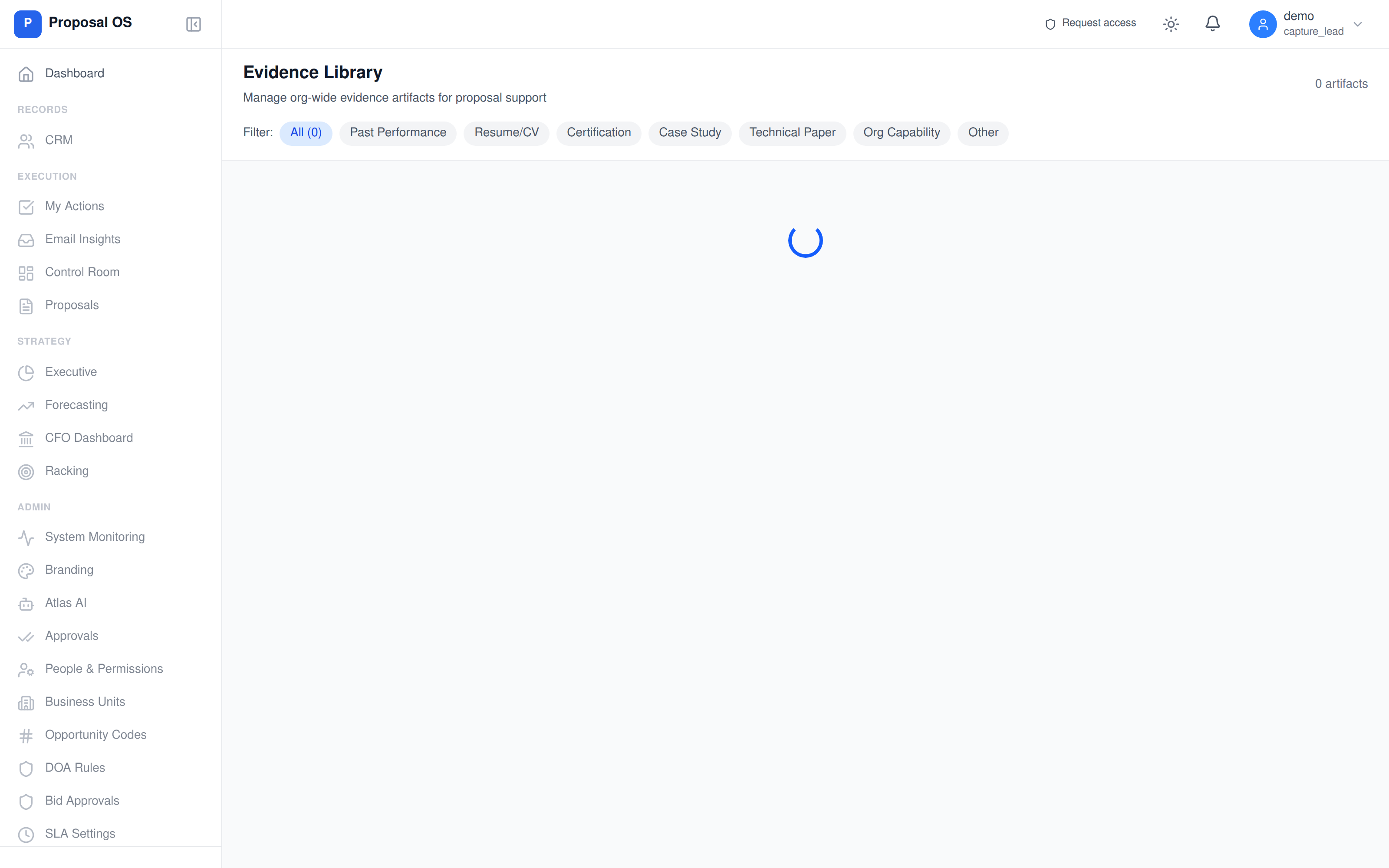
Real evidence library from a contractor's ProposalOS workspace — version-controlled FedRAMP authorization letters, SSPs, and POA&M tracking that survives a CMMC L2 assessment without scrambling for documents.
Every CUI access is hash-chained — and an assessor can verify it
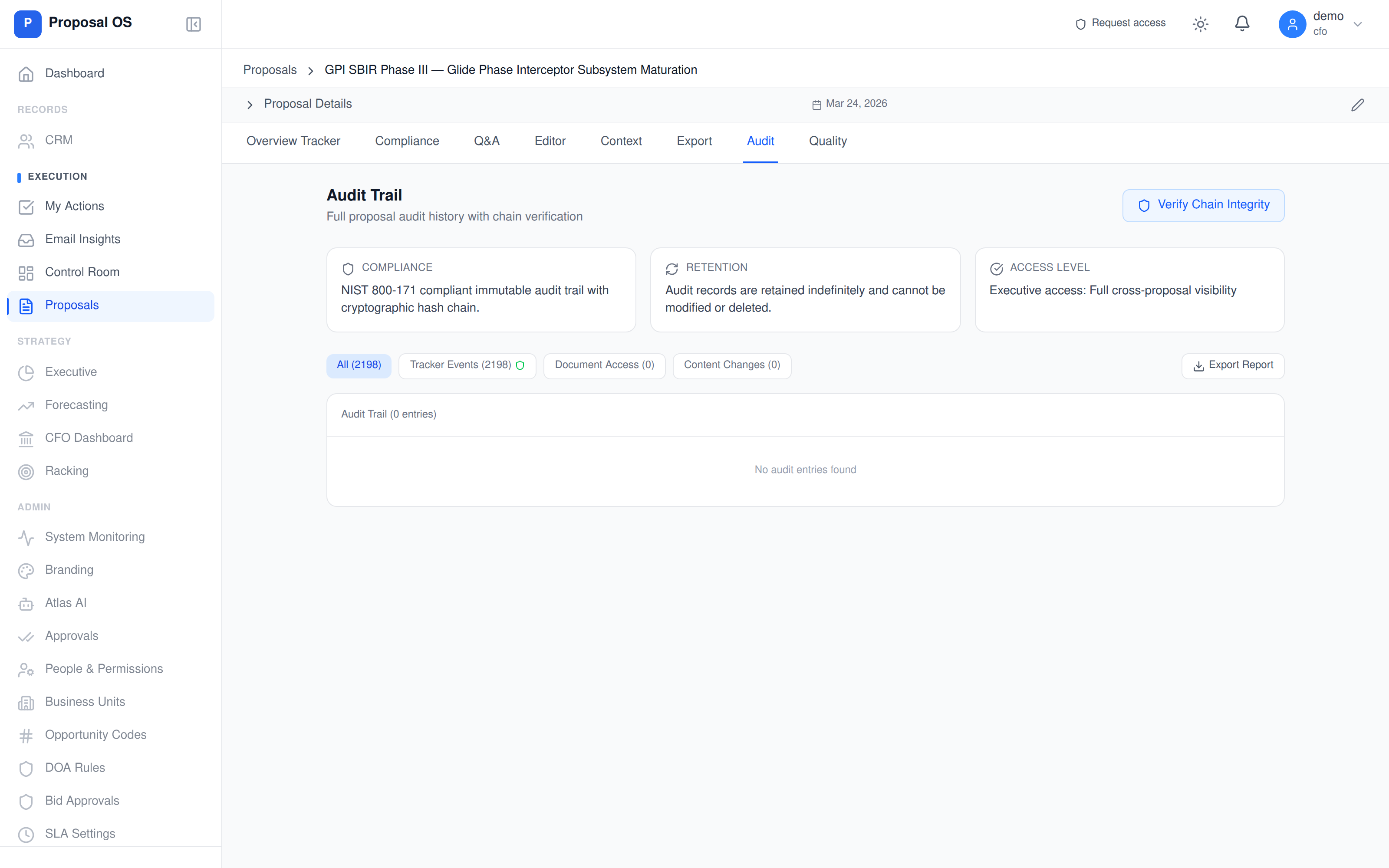
The evidence isn't just stored — it's cryptographically anchored. Each tracker event (document access, content change, approval, status transition) gets a SHA-256 hash linked to the previous event. An assessor with the "Verify Chain Integrity" button gets a deterministic yes/no on whether the audit trail has been tampered with — no auditor-trust required.
Why getting this wrong is more expensive than getting it right
CUI compliance is one of the few cybersecurity controls where the failure modes are explicitly priced into your contracts. DFARS 252.204-7012 incident reports trigger contract pause clauses. And with CMMC third-party assessment suspended since July 2026, the SPRS score you self-attest to is the government’s only record of your posture — and DOJ’s Civil Cyber-Fraud Initiative treats a misrepresented cybersecurity posture as a False Claims Act matter.
The good news: the controls are well-defined and the FedRAMP marketplace gives you a pre-validated path to compliance. The bad news: the migration is operationally heavy and most contractors underestimate it.
The three traps that produce assessment findings
Trap 1: Email auto-forwarding to personal accounts
An employee sets up a forward from [email protected] to [email protected] for "convenience." Any CUI-bearing email in that thread leaves the boundary. The fix: disable user-controlled forwarding to non-tenant domains via Exchange Online transport rule.
Trap 2: Shadow SaaS subscriptions (the dropbox/notion/airtable problem)
A team uses a non-authorized tool for "internal collaboration" but eventually shares CUI in it. SSO/CASB inventories miss tools that bypass IT. Fix: real-data CUI Flow Mapper (free, above) + quarterly app inventory review with SaaSManagement evidence.
Trap 3: Mixed-tenant SharePoint sites
GCC High SharePoint sites that link out to commercial Teams or guest-share with non-authorized tenants. The links work. The data leaks. Fix: cross-tenant access policy enforcement via Microsoft Entra B2B + per-site CUI labeling.
Get a defensible CUI architecture
The CUI-in-cloud playbook flags the gaps. The next step is a compliance architecture review where we map your data flows to FedRAMP-authorized alternatives and CMMC-aligned controls.
Apply for an evaluationRelated: how much CMMC certification costs — DoD’s own priced figures
Go deeper
CUI-Safe CRM Guide — Stop spillage in your sales stack
Most defense contractor CRMs leak CUI. Here's the practical guide to identifying spillage and the FedRAMP-authorized alternatives that actually work.
Read articleGovCon CRM Comparison — The Compliance Gaps Vendors Hide
Salesforce GovCloud, Unanet, Deltek CRM tested against CMMC requirements. Where the marketing pages diverge from the SSP reality.
Read articleNIST 800-171 Audit Logging Compliance Guide
All 9 AU-3.3 controls — what assessors actually look for in cloud audit logs.
Read articleDFARS 252.204-7012 Contractor Obligations
The clause that makes all of this mandatory. Plain-English breakdown of every contractor obligation.
Read articleFrequently asked questions
What counts as CUI in a cloud service?
Controlled Unclassified Information includes any data the federal government has marked as requiring safeguarding under DFARS 252.204-7012, NIST SP 800-171, or 32 CFR 2002. In cloud services this typically includes: technical drawings and specifications subject to ITAR/EAR, contractor proposals containing CUI markings, government correspondence with CUI markings, security plans (SSPs/POA&Ms), incident response data, and any export-controlled engineering data. If your contract has a 7012 flow-down, assume any artifact related to performance is CUI until classified otherwise.
Which cloud services are safe to put CUI in?
For DoD CUI: FedRAMP Moderate or higher with a CUI-handling architecture. Practically: Microsoft 365 GCC High, Microsoft Azure Government (IL4/IL5), AWS GovCloud (US), Google Workspace for Government (limited), Mattermost for Government (self-hosted on FedRAMP-authorized infra), Slack GovSlack for non-classified CUI. Anything else — including all commercial-tenant SaaS — is non-compliant for DoD CUI.
Is Dropbox safe for CUI?
No. Neither Dropbox commercial nor Dropbox Business is FedRAMP-authorized for any impact level. Using Dropbox to handle CUI is an immediate NIST 800-171 violation across at least four control families (3.1 access control, 3.13 system communications protection, 3.8 media protection, 3.14 system integrity). Migrate to Microsoft OneDrive GCC High or AWS GovCloud S3 for FedRAMP-authorized file sharing.
How do I find every place CUI flows in my organization?
Three layers to map: (1) Application data flows — where CUI is created, processed, stored, and transmitted. (2) System boundaries — every system that touches CUI must be inside the authorization boundary. (3) Personnel — only cleared and trained users should access CUI. Use our free CUI Data Flow Mapper to visualize layer 1 and identify non-compliant boundary crossings.
What evidence will C3PAO assessors want to see?
Six things: (1) data flow diagrams showing CUI movement; (2) system boundary diagrams with every covered system labeled FedRAMP-authorized; (3) a documented CUI inventory with marking and handling procedures; (4) access control evidence (role mappings, MFA, conditional access); (5) audit log samples covering CUI access events; (6) incident response playbook and drill records. SSP and POA&M are the documents that wrap all six together.
How long does a CUI cloud migration typically take?
Plan 90-180 days end-to-end for a mid-size contractor (50-500 users). Phase 1 (weeks 1-4): inventory and classification. Phase 2 (weeks 5-8): boundary architecture and identity federation. Phase 3 (weeks 9-16): tenant provisioning, data migration, and dual-run. Phase 4 (weeks 17-24): cutover, decommissioning of non-compliant systems, and SSP update. Budget for 25-30% productivity dip during the cutover window.